
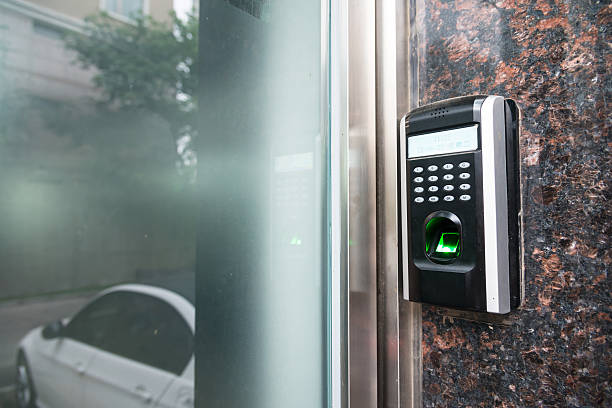
Forgotten passwords can lock people out at the worst time. Reused passwords can expose several accounts after one data breach. Fake sign-in pages create another risk because they can steal even a strong password. As a result, these problems have pushed many apps toward passkeys. Yet a new login method can feel confusing, especially when access depends on a phone or computer. Tech Security Zone guide compares passkeys vs passwords with clear facts from current security standards.
It explains what is a passkey, where each method stores its secret, and how attackers target both choices. It covers setup, daily use, device loss, recovery, and account fallbacks. Readers will learn why passkeys offer stronger protection against common remote attacks. However, passwords still matter when a service lacks passkey support. The safer choice depends on the account, device controls, and recovery plan.
The Direct Answer for Most Personal Accounts
Many readers ask, are passkeys safer than passwords? In most common cases, the answer is yes. A passkey does not place a reusable secret on the service server. Instead, the device keeps a private key, and the service stores a public key. For example, a fake site cannot use that passkey because the credential is tied to the correct domain. This makes the passkey vs password security gap most clear during phishing and data breaches.
However, a passkey cannot protect an unlocked device from misuse. A weak recovery route can reduce its value as well. Therefore, the best way to protect online accounts pairs a passkey with a strong screen lock. It includes secure recovery and updates. As a result, password-only access remains more exposed because users can type the same secret into a fake form.
Why Passwords Remain Easy to Attack
A password is a shared secret. The user knows it, and the service must keep data that can check it. Services should store salted password hashes, not readable passwords. Even so, stolen password databases can support offline guessing. As a result, attackers can reuse cracked credentials across other services. This attack is called credential stuffing. Therefore, strong password security depends on a long, unique value for every account.
For example, a trusted password manager can generate and store those values. Current NIST guidance supports password managers, paste tools, and long passwords. It rejects routine changes without evidence of a leak. However, even a strong password can be phished because the user can send it to an impostor page. Multi-factor authentication lowers this risk, but typed codes can be phished too.
What Happens Inside a Passkey Sign-In
Understanding how passkeys work requires two short steps. Experts use the terms below to separate account creation from daily use.
Registration creates a key pair
During registration, the authenticator creates a public and private key. The service, called the relying party, stores the public key. The private key stays protected by the device or credential manager. This public key cryptography login follows the W3C WebAuthn model.
Authentication proves key control
During passkey authentication, the service sends a fresh challenge. The authenticator signs it after local user approval. For example, a face scan, fingerprint, or device PIN can approve the action.
The biometric sample is not sent to the service. FIDO2 authentication connects the authenticator and service, while WebAuthn passkeys provide the browser-facing standard. This process proves control without sharing the private key.
A Clear Side-by-Side Security Comparison
The table shows key benefits of passkeys and practical disadvantages of passkeys. A high-risk workplace may require a hardware security key with a non-exportable credential. A personal account may favor a synced credential for access across devices. Passkey security depends on protected devices and careful recovery.
| Security point | Password | Passkey |
| Secret stored by service | Password hash | Public key |
| User action | Types or pastes a secret | Approves on a trusted device |
| Phishing risk | Can be entered on a fake page | Bound to the real service domain |
| Reuse risk | Common across accounts | Unique key pair for each service |
| Data breach effect | Hashes may support password guessing | Public key alone cannot sign in |
| Device loss | Password still works elsewhere | Access depends on sync or recovery |
| Main backup need | Password manager and MFA | Another passkey or secure recovery |
Why Passkeys Block Common Phishing Tricks
Passkeys change phishing defense because the browser and operating system check the service identity. Users do not decide where to send a secret. Therefore, passkey phishing protection does not depend on spotting every false logo or strange address. CISA guidance identifies FIDO and WebAuthn as widely available phishing-resistant authentication.
The method blocks several common paths:
- A fake domain cannot request the real domain’s private credential.
- A stolen public key cannot create the required digital signature.
- Credential stuffing fails because each service receives a different key pair.
- A captured sign-in response cannot be reused because each challenge is fresh.
However, passkeys do not stop every scam. An attacker may target account recovery, trick support staff, steal an active session, or control an unlocked device. Strong sign-in needs secure recovery and session controls too.
Limits That Matter Before Switching
Limits come from support, devices, syncing, and fallback routes. Synced passkeys can move through a protected credential manager. In contrast, device-bound passkeys remain on a single authenticator, such as a hardware security key.
Limits include:
- Some apps still require a password or offer incomplete passkey support.
- Anyone who unlocks a trusted device may be able to use its passkeys.
- A compromised cloud account can threaten synced credentials and recovery.
- Weak password fallbacks can leave an account open to phishing.
- Device-bound credentials need a spare authenticator or another recovery route.
The topic of passkeys and multi-factor authentication needs care. A passkey with local user verification can satisfy two-factor goals in many systems. Yet policy, setup, and assurance needs differ. High-risk users should follow their provider or employer rules.
Safer Setup and Daily Use
To set up a passkey, open the account’s security settings. Confirm the correct app or domain before changing sign-in choices. Provider steps vary, but safe setup follows a common pattern:
- Update the device, browser, and password manager before creating a credential.
- Turn on a strong device PIN and biometric lock where available.
- Create passkeys only on devices owned and controlled by the account holder.
- Add a spare passkey, hardware security key, or protected recovery method.
- Review saved credentials and remove lost, sold, or unused devices.
Learning how to use passkeys is usually simple. A passkey login requires local approval rather than typed text. Google warns that anyone who can unlock a device may access its passkeys. Therefore, screen-lock safety supports passwordless authentication. Never approve a sign-in that the account holder did not start.
Plan for Device Loss Before It Happens
People often ask what happens if you lose a passkey device. The answer depends on where the credential lives and which recovery paths exist.
Synced credentials can return
A passkey stored in a protected credential manager may appear on another approved device. Apple, Google, and Microsoft each document forms of cross-device passkey use. Provider rules still differ.
Bound credentials need a backup
A credential stored only on a lost authenticator may be gone. Therefore, passkey account recovery should be planned early. Register a spare authenticator when possible.
Save provider recovery codes in a protected offline place. If a device disappears, lock or erase it remotely. Remove its passkeys, review sessions, and create a replacement credential. Avoid recovery links from unexpected messages.
Make the Safer Choice Account by Account
Passkeys are the stronger default when a trusted service supports them. They resist phishing, remove password reuse, and reduce the value of stolen server data. Still, no login method fixes poor device security or weak recovery. Keep every phone and computer updated. Use a strong screen lock. Add more than one safe way back into vital accounts. Where passwords remain, use a password manager to create unique values and add the strongest available MFA.
This approach protects banking, email, work, shopping, and social accounts without relying on memory. Tech Security Zone supports informed security choices through current standards and clear explanations. Readers should review account recovery before removing an old sign-in method. A safe change protects access and data. Good authentication reduces risk, but careful device use completes the job.
Frequently Asked Questions
What is the difference between a passkey and a password?
A password is a reusable secret that a person types or pastes. A passkey uses a public-and-private key pair. The service stores the public key, while a device protects the private key. Sign-in requires local approval, so no reusable private secret travels to the service.
Are passkeys safer than strong passwords?
Passkeys are generally safer against phishing, credential stuffing, and stolen password databases. Each passkey belongs to one service domain. However, device locks and account recovery still matter. A strong, unique password with phishing-resistant MFA remains a sound choice when a trusted service does not support passkeys.
How do passkeys protect users from phishing attacks?
The browser and operating system connect each passkey to the service domain that created it. A look-alike domain cannot request or use that credential. Because the user never types a shared secret, a fake page cannot capture a password. Therefore, it cannot reuse that password on the real account.
Can hackers steal or copy a passkey?
An attacker cannot derive the private key from the public key stored by a service. Yet malware, an unlocked device, a stolen active session, or a compromised sync account can still cause harm. Device updates, screen locks, safe recovery, and session reviews reduce those wider risks.
What happens to passkeys when a phone or computer is lost?
Credentials saved through sync may return through the same protected manager on another approved device. A device-bound credential may be lost with its authenticator. A spare passkey or recovery method prevents lockout. After loss, remove the device, revoke affected credentials, and quickly review active account sessions.
Do passkeys replace passwords and multi-factor authentication?
Passkeys can replace passwords on services that support them. A passkey with local user verification can provide more than one authentication factor. However, service rules and security needs vary. Some accounts still keep password fallbacks, while high-risk systems may require device-bound credentials or more checks.
What are the main benefits and disadvantages of using passkeys?
Passkeys resist phishing, remove password reuse, and keep private keys away from service servers. They can make sign-in faster. However, support remains uneven, device loss needs planning, and account sync needs strong protection. A weak recovery method can reduce the security gain from a passkey.